Staying safe and private with AI
Updated 2026-11-11 · Beginner guide · 6 min read
Short answer: AI tools are safe to use if you treat every chat like a message a stranger might one day read. Keep passwords, ID numbers, bank details and other people's private information out of it, check your privacy settings once, and double-check anything important the AI tells you.
Why safety matters with AI
Chatting with an AI assistant feels private, like talking to yourself. But what you type is sent to a company's computers. It may be stored in your chat history, read by staff in some cases, or used to improve the AI, depending on the service and your settings. Most of the time nothing bad happens. The goal is simply to share only what you would be fine with others seeing.
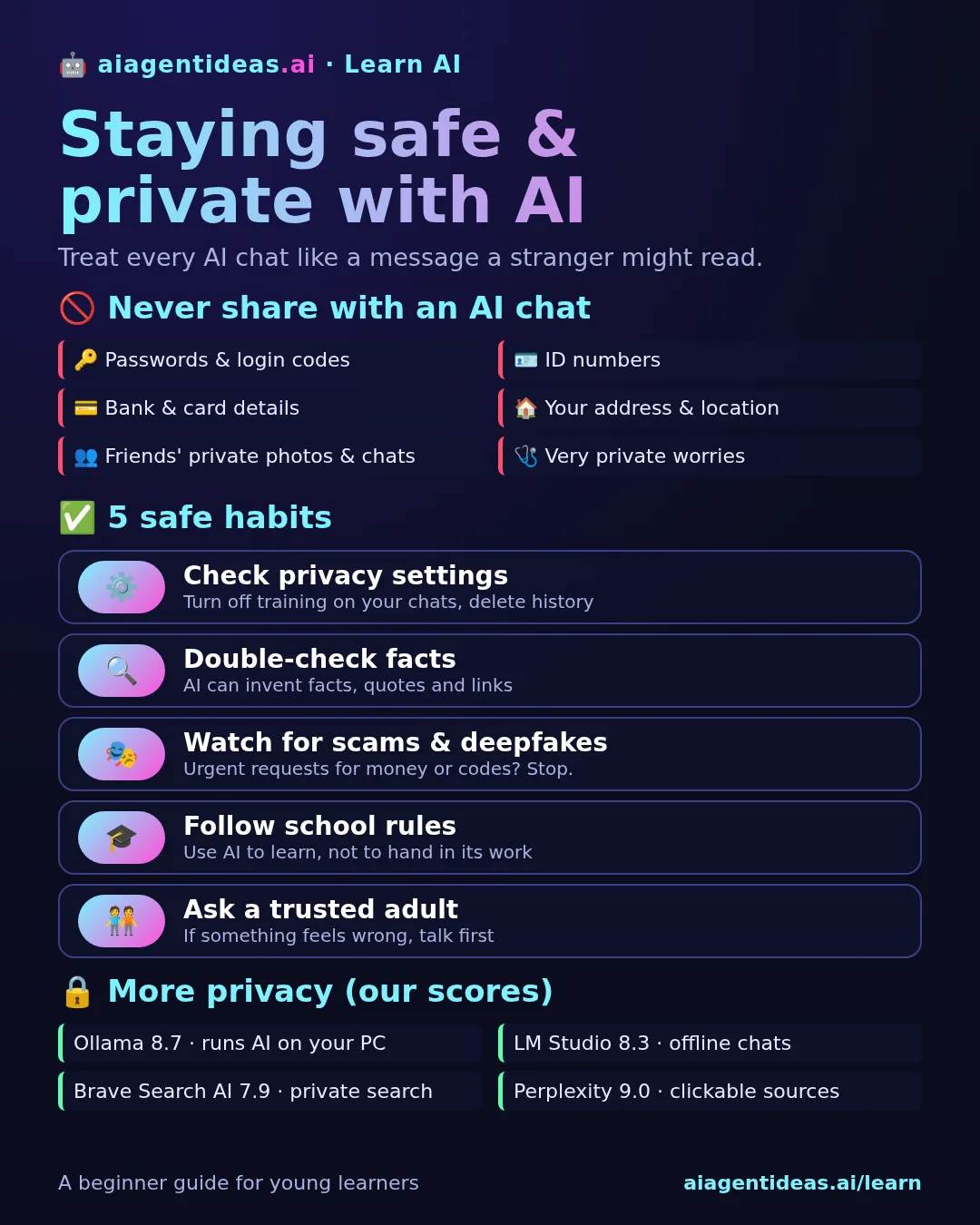
Never share these with an AI chat
No AI needs your password. Anyone asking for one is a scam.
Passport, national ID or social security numbers.
Card numbers, PINs, bank logins.
Where you live, your school, where you are right now.
Friends' photos, chats or secrets are not yours to upload.
Talk to a real person you trust. Use AI only in general terms.
Tip: you can still get help without personal details. Instead of pasting your full CV with address and phone number, remove them first. Instead of a friend's name, write "my friend".
5 safe habits
- Check your privacy settings once. In the app you use, look for Settings → Privacy or Data controls. Many assistants let you turn off using your chats for training, use a temporary chat, or delete your history.
- Double-check facts. AI can "hallucinate": invent facts, quotes, links or numbers that sound real. For anything important, check a trusted source. Perplexity (9/10 in our rankings) shows sources you can click.
- Watch out for scams and deepfakes. AI can fake voices, faces and messages. If someone urgently asks for money, codes or photos, even if they look or sound like a friend or family member, stop and contact them another way.
- Follow your school's rules. Use AI to explain, quiz you and give feedback, not to hand in work as your own. AI detectors like GPTZero (7.9/10) exist, but none is fully reliable, so honesty is the best plan.
- Ask a trusted adult. If something online feels wrong, scary or too good to be true, talk to a parent, teacher or friend before you act. Under 18? Check the age rules of an app before signing up.
Using the big assistants safely
The most popular assistants in our rankings, ChatGPT (9.3/10), Claude (9/10) and Gemini (8.6/10), are made by large companies with privacy policies and settings you can control. Use one main assistant, sign up with an account protected by a strong password and two-step login, and review its data settings when you start.
Be careful with unknown apps that copy famous names, ask for lots of phone permissions, or promise "free premium AI" if you log in with your social media account. Download from official app stores or the company's own website.
Want more privacy? Options from our list
Scores are out of 10 from our rankings. Pricing labels come from our listings and can change.
| Tool | Score | Pricing | Why it helps privacy |
|---|---|---|---|
| LM Studio | 8.3 | Free | Runs open AI models on your own computer, so chats can stay offline. |
| Ollama | 8.7 | Free (open source), cloud plans | Free open-source way to run AI models locally. A bit more technical. |
| Brave Search AI | 7.9 | Free | Private search engine with AI answers. |
Running AI on your own computer needs a fairly powerful machine, and local models are usually less capable than the big online assistants. For most beginners, a mainstream assistant with good settings and careful sharing is enough.
A quick safety checklist
- ✅ I don't paste passwords, ID numbers, bank details or my address.
- ✅ I've looked at the privacy or data settings of my AI app.
- ✅ I check important facts before I trust them.
- ✅ I never send money or codes because of an urgent message.
- ✅ I follow my school's rules on AI.
New here? Start with what an AI assistant is and which one to start with, learn how to write a good prompt, and read free or paid: what is worth paying for.
FAQ
Do AI chatbots save what I type?
Usually yes, at least for a while. Many services keep your chat history, and some free plans may use chats to improve their models unless you turn that off. Look for Privacy or Data controls in the settings of the app you use.
Is it safe to use ChatGPT, Claude or Gemini?
Yes, if you use them sensibly. They are among the top assistants in our rankings (ChatGPT 9.3/10, Claude 9/10, Gemini 8.6/10). The main risk is what you choose to share, so keep personal and secret details out of your chats.
Can AI be wrong?
Yes. AI can make up facts, quotes, links and numbers that sound completely real. Check anything important in a trusted source, or use a tool like Perplexity that shows sources you can click.
How do I spot an AI scam or deepfake?
Be suspicious of urgent messages, voice calls or videos asking for money, codes or secrets, even if they look or sound like someone you know. Stop, and contact that person another way before doing anything.
Is using AI for homework cheating?
It depends on your school's rules. Using AI to explain, quiz you or give feedback is usually fine. Handing in AI-written work as your own usually is not. When in doubt, ask your teacher.
Scores and pricing come from our rankings and can change as tools update. This guide is general advice, not legal advice.