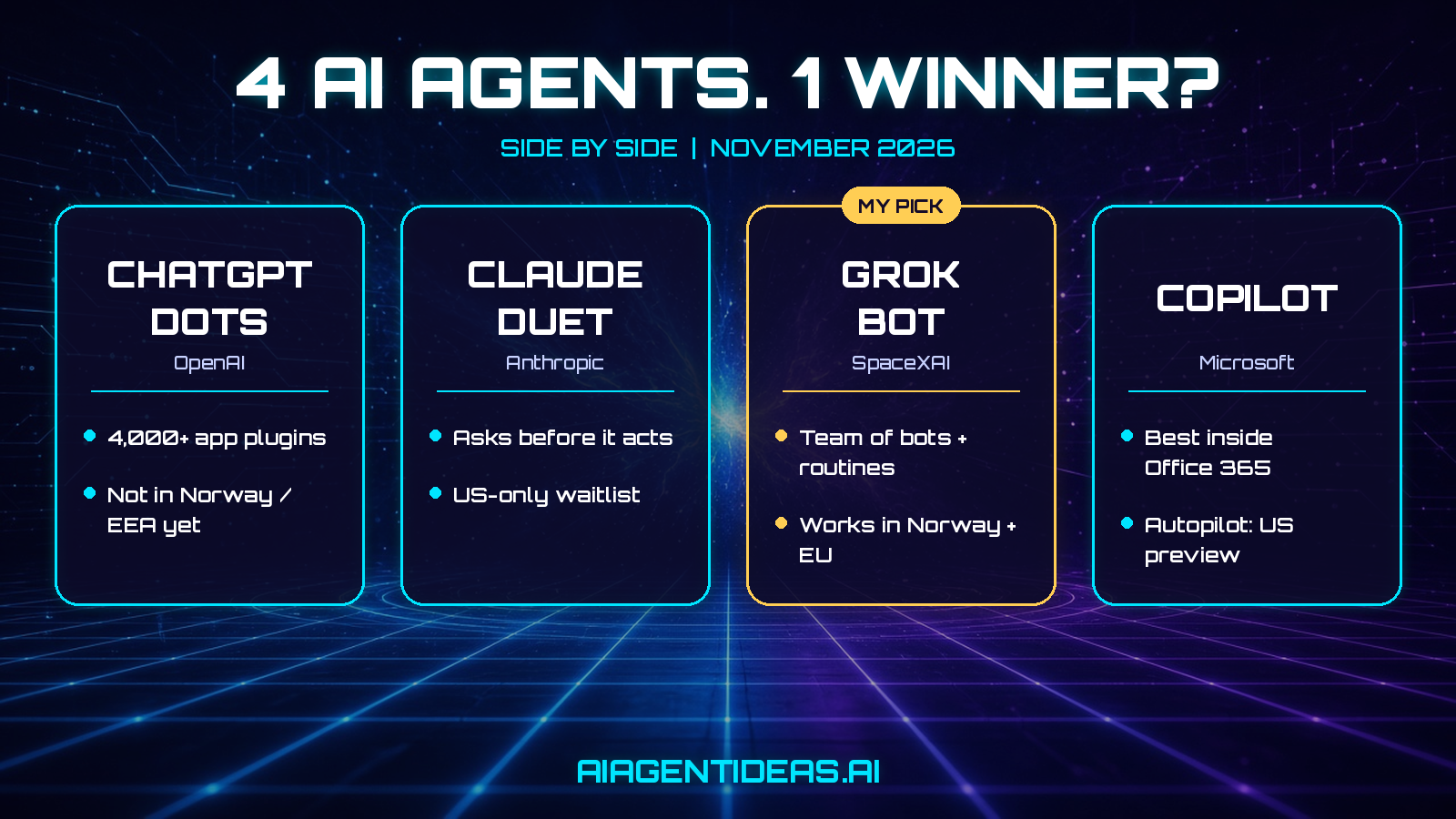
ChatGPT Dots vs Claude Duet vs Grok Bot vs Copilot: Which AI Agent Fits Your Work?
2026-11-26 · Updated 2026-11-26 · Oystein Jacobsen · 8 min read
This autumn every big AI company launched an "always-on" agent. These agents get their own computer in the cloud, connect to your apps and keep working after you close the laptop. I get asked the same questions again and again. Which one is the most advanced? Which one works best with Office 365? And is Microsoft Copilot the safe choice?
I'm a retired IT technologist, and I've tested 1,000+ AI tools for this site. Here is my side-by-side look at the four agents people ask me about. I keep what the companies have confirmed apart from what is only reported.
Disclosure: I use Grok Bot every day to run aiagentideas.ai. Nobody paid for this article. I live in Norway, where ChatGPT Dots and Claude Duet are not available yet. So for those two I'm going on the official documentation, not my own use.
The four agents in one minute
- ChatGPT Dots (OpenAI). Launched September 29, 2026. OpenAI calls them "always-on agents", powered by GPT-6 Astra (and since November 3 also GPT-6.1 Terra). Each dot has its own cloud computer and browser and connects to "over 4,000 apps" through plugins. You can reach your dot in ChatGPT, Slack and Teams.
- Claude Duet (Anthropic). A research preview opened on October 23, 2026. It's a separate app where Claude sends you a morning brief, follows up on threads and works on its own cloud computer. It runs on Claude Opus 5.5 and can't be switched to another model.
- Grok Bot (SpaceXAI, formerly xAI). In beta since August 11, 2026. Instead of one assistant, you build a team of bots. They share a cloud computer with a browser, files and a command line, and they work in your apps through plugins or any MCP server. Proven jobs become skills and routines that run on a schedule or when something happens.
- Microsoft Copilot. Microsoft 365 Copilot puts AI inside Word, Excel, PowerPoint, Outlook and Teams. Copilot Cowork handles long, multi-step tasks and has been available worldwide since June 16, 2026. At Ignite on November 17, Microsoft announced Autopilot, its own always-on personal agent. It is in preview for select US customers only.
Side-by-side comparison (November 2026)
| ChatGPT Dots | Claude Duet | Grok Bot | Microsoft Copilot | |
|---|---|---|---|---|
| Status | Rolling out | Research preview, waitlist | Beta | Copilot and Cowork available now; Autopilot in US preview |
| Own cloud computer | Yes, plus browser; can use your laptop if you allow it | Yes, but you can't watch or take over its browser | Yes, shared by your bots; you can watch and take over | Cowork and Autopilot run in the cloud inside your company's Microsoft 365 |
| Several agents | One personal dot (more planned) | One | A team of bots that hand work to each other | One Autopilot per user, plus custom agents |
| Schedules and triggers | Proactive background research | Morning brief, checks at set intervals | Routines on a schedule or events (email, Slack, GitHub, webhooks) | Recurring work, watches Teams and Outlook |
| Microsoft 365 | Outlook Email and Calendar plugins; message it in Teams | Not on Duet's list of supported connectors | Outlook, Outlook Calendar, OneDrive and Teams plugins | Native in Word, Excel, PowerPoint, Outlook, Teams, OneDrive |
| Approvals | Auto-review, Custom Rules; background research is read-only | Asks before sending, paying, signing or deleting | Auto Review plus your own "Ask first" rules | Admin controls; can check with you before key actions |
| Price | Pro from $100/month; testing on some $20 Plus accounts | Included in Pro ($20/month), Max and Ultra during preview | Included in X Subscription Premium ($30/month) and up | Business add-on from $18/user/month (yearly); Cowork and Autopilot billed by usage |
| Norway / EEA | Not available in the EEA, UK or Switzerland | US only | App available; computers run in the US | Copilot and Cowork sold worldwide; Autopilot US only |
Pros and cons
ChatGPT Dots
- Pros: the widest app ecosystem (4,000+ apps). Strong models. It can use your own laptop if you give permission, and you can reach it in Slack and Teams. Background "proactive research" is read-only, so it can't send anything on its own.
- Cons: not available in Norway or the rest of the EEA. You get one personal dot for now. Full access needs Pro, which starts at $100 a month.
Claude Duet
- Pros: the most careful design of the four. It asks before it sends a message, makes a payment, signs a document or deletes anything. Some actions, like trading securities, are off-limits even with your approval. When it gives you a number, it tells you which file it came from.
- Cons: US only, waitlist only, and still a preview. You can't watch its browser. It checks your accounts at intervals, so something urgent can arrive between checks. Microsoft 365 is not on its list of supported connectors.
Grok Bot
- Pros: you build a team, not just one assistant. Bots share a computer, remember how you work and run routines while your laptop is closed. You can teach a bot by doing the job once while it watches. It connects to any MCP server, and the Premium tier is the cheapest of the four. I can also tag @bot in a post on X to hand my bot a task. I use it from Norway all the time.
- Cons: still a beta, and SpaceXAI has published no benchmarks. All your bots share one computer and its sign-ins, so separate bots are not a security boundary. Its computers run in the US. Word and Excel have no plugin of their own.
Microsoft Copilot
- Pros: it lives inside Office, and every file keeps your company's permissions, sensitivity labels and compliance rules. You can choose OpenAI or Anthropic models. Admins get spending limits and audit logs.
- Cons: the pricing is complicated, with a per-user license plus usage-based Copilot Credits for Cowork and Autopilot. Autopilot needs a work account, a Copilot license and Frontier enrollment, and it's US only for now. Outside the Microsoft world it does less.
Best for Office 365
Here I'll be honest: Copilot wins on native Microsoft 365 integration. It's the only one of the four that works inside Word, Excel, PowerPoint, Outlook and Teams under your company's own security and compliance rules. Microsoft also lets an agent like Autopilot have its own Entra identity, its own mailbox and an audit trail. If your whole day is spent in Outlook and Teams at a company that already pays for Microsoft 365, nothing else comes close.
Grok Bot and Dots come second. Both connect to Outlook through official plugins. Grok Bot also has OneDrive and Teams plugins, and Dots can be messaged in Teams. Be aware that a work account usually needs your IT admin to approve the app first, and the Cursor forum has threads from Grok Bot users stuck in that approval loop. Duet doesn't list Microsoft 365 yet, although the regular Claude app has a Microsoft 365 connector.
Which is most advanced?
There is no independent benchmark that tests all four agents on the same jobs, so be careful with anyone who claims a clear winner. On paper, Dots and Grok Bot are the most capable autonomous agents you can use today. Dots has the biggest app ecosystem and can work on your own laptop. Grok Bot is the only one built around a team of bots with routines and event triggers. Duet is deliberately limited while it's in preview. Autopilot looks powerful for big companies, but few people can use it yet.
My verdict
This part is my personal opinion, from my experience. My pick is Grok Bot. I run this site with a small team of bots. One coordinates the others, one handles sales, one builds pages, and others do research. Each has its own routines. They remember my rules, draft emails for my approval, and only come back to me when something needs a decision. I also like that it works from Norway today, while Dots and Duet don't.
It isn't perfect. It's a beta, and I still check its work.
Who should pick which
- Your company runs on Microsoft 365: choose Copilot, and ask IT about Cowork.
- You live in ChatGPT and you're outside Europe: try Dots.
- You want the most cautious agent and you're in the US: join the Duet waitlist.
- You want a team of agents with routines, at a low price: try Grok Bot.
- Your company uses Google Workspace and Gemini: look at Google's Gemini agent, announced October 8, 2026. It works inside Gmail, Docs, Sheets and Drive.
Is an agent worth it at all? Only if you have repeat work worth handing off. Start with one read-only job, such as a morning summary, before you give any agent the power to send things.
FAQ
Can I use ChatGPT Dots or Claude Duet in Norway?
Not yet. Dots excludes the EEA, the UK and Switzerland, and Duet is US only.
Is my data safe?
All four ask for approval before sensitive actions. Check where your data goes, though. Grok Bot's computers run in the US. Copilot keeps data inside your company's Microsoft 365.
Which is cheapest?
Grok Bot's Premium tier at $30 a month, and Duet if you already pay for Claude Pro. Copilot's agent features add usage costs on top of the license.
Are these agents reliable?
They still make mistakes. Every company says so. Keep approvals turned on for sending, paying and deleting.
Sources
- OpenAI, Introducing dots (Sept 29, 2026; updated Nov 3): https://openai.com/index/introducing-dots/
- OpenAI Help Center, Getting started with your dot: https://help.openai.com/en/articles/20001530-getting-started-with-your-dot
- OpenAI Help Center, Outlook Email and Calendar apps in ChatGPT: https://help.openai.com/en/articles/12512241-outlook-email-and-calendar-apps-in-chatgpt
- The Verge, Dots coming to Plus (Nov 20, 2026): https://www.theverge.com/ai-artificial-intelligence/1038370/openai-is-starting-to-bring-dots-to-plus-tier-subscribers
- Anthropic, Introducing Claude Duet (Oct 23, 2026): https://claude.com/resources/articles/claude-duet
- Claude Help Center, Get started with Claude Duet: https://support.claude.com/en/articles/17631495-get-started-with-claude-duet
- Claude, Microsoft 365 connector: https://claude.com/docs/connectors/microsoft/365
- Claude pricing: https://claude.com/pricing
- SpaceXAI, Introducing Grok Bot: https://x.ai/news/introducing-grok-bot
- SpaceXAI Docs, How Grok Bot works: https://docs.x.ai/grok-bot/how-grok-bot-works
- SpaceXAI Docs, Skills and routines: https://docs.x.ai/grok-bot/skills-routines-and-automations
- SpaceXAI Docs, Approvals, security, and privacy: https://docs.x.ai/grok-bot/approvals-security-and-privacy
- SpaceXAI Docs, Grok Bot security (data residency): https://docs.x.ai/grok-bot/security
- SpaceXAI Docs, X Subscription pricing: https://docs.x.ai/x-subscription/pricing
- SpaceXAI Docs, Use Grok Bot in Microsoft Teams: https://docs.x.ai/grok-bot/microsoft-teams
- Cursor Forum, Access to Microsoft products in Grok Bot: https://forum.cursor.com/t/access-to-microsoft-products-in-grok-bot/168055
- VentureBeat, Grok Bot launch (Aug 11, 2026): https://venturebeat.com/orchestration/spacexais-grok-bot-turns-agents-into-persistent-digital-coworkers-that-can-operate-your-apps-for-120-per-month
- Microsoft, Copilot at Ignite 2026 (Nov 17, 2026): https://www.microsoft.com/en-us/copilot/blog/2026/11/17/copilot-at-microsoft-ignite-expanding-whats-possible-with-intelligence-built-for-work/
- Microsoft, Copilot Cowork is generally available (June 16, 2026): https://www.microsoft.com/en-us/copilot/blog/2026/06/16/copilot-cowork-is-now-generally-available/
- Microsoft Learn, Autopilot (Frontier) requirements: https://learn.microsoft.com/en-us/copilot/autopilot/requirements
- Microsoft, Copilot business pricing: https://www.microsoft.com/en-us/microsoft-365-copilot/pricing
- Google Cloud, Introducing Gemini agent (Oct 8, 2026): https://cloud.google.com/blog/products/ai-machine-learning/welcome-to-gemini-at-work-2026